‘I need to change my car but I’m not sure what to buy. Any recommendations?’ We hear that sort of thing a lot at CarGurus. Most people have a vague idea of what they want out of their next car but whittling it down to something concrete is the tricky bit.
It doesn’t sound especially difficult. After all, there are 25 filters on our search page, so it’s quite possible to refine them and get closer to the kind of thing you’re after. That said, there were more than 180,000 used cars advertised on CarGurus at the time of writing; add to that nine different body styles, six different fuel types and an ever-increasing number of makes and models (Chinese new entrants, in particular, have stormed the market in recent years) and you start to get the picture. That’s before we’ve gone anywhere near essentials such as price, age and mileage, too.
This is where artificial intelligence can help. Our new Discover tool is designed to help car buyers refine a search and turn a rough idea into a tangible shortlist. It asks questions about what buyers want from a car and issues prompts to help them form a clearer idea of their requirements. Here’s how it works.
How AI Car Search Engines Work (and How to Use One to Find Your Next Car)
- The Old Way of Car Shopping is Ending
- CarGurus Discover: AI Search That Shows Real Cars
- How AI Changes Car Shopping
- How to Use AI to Search for a Car
- Summary
Quick Answer: How Does AI Car Search Work?
Instead of using drop-down filters, buyers punch in their rough idea of what they want from their next car and end up with a shortlist of relevant adverts.
- How it works: Say or type what you’re after in your own words. There’s no need to be specific, at least not initially
- Real results: This isn’t Claude or ChatGPT; it’s CarGurus’ custom AI tool that links directly to used cars available to buy now
- Refine as you go: You can keep the chat going for as long as you like and whittle down the search with more prompts, such as “under £10K” or “lower mileage”
- Price transparency: Each advert includes CarGurus’ Instant Market Value, so you know if the price is right
- Save the search: Every chat generates its own link, so you can you can leave it and come back at any time
The Old Way of Car Shopping is Ending
Information overload
Let’s say you’re after an SUV, which is a common enough search. At the time of writing, there were almost 40,000 listed on CarGurus. There will absolutely be cars among those that fit the bill, but if all you’re sure about is that you want an SUV, you’re still in the dark.
Too many filters
Filters are the obvious next step to shave down a search. Price is an easy one, because you probably have at least a rough idea of your budget, but the other 24 filters – each with their own sub sections – can be bamboozling. Filters still have their merits, because they work really well for those who know what they want; less so for those who don’t.
What you need vs what you want
We’ve all done it – looked at a car and thought, ‘cor, that’s a beauty’. In some cases, that’s exactly what drives a buyer’s decision – see this list for details – but there is usually a difference between that most people want and what they need, and it’s important to work that out.
Lack of expertise
Those of us who live and breathe cars will probably have a good idea of what we want from our next one. Those who don’t may well need a steer, and there is absolutely no shame in that. This is where we come in.
It takes ages
As above, if you’re an enthusiast who loves to scroll through adverts, then you’re in your element car shopping, but that does not apply to everyone. Those looking for something that ticks their boxes and gets them from A to B could either be bored to tears by adverts or severely lack the time it takes to examine them – or both.
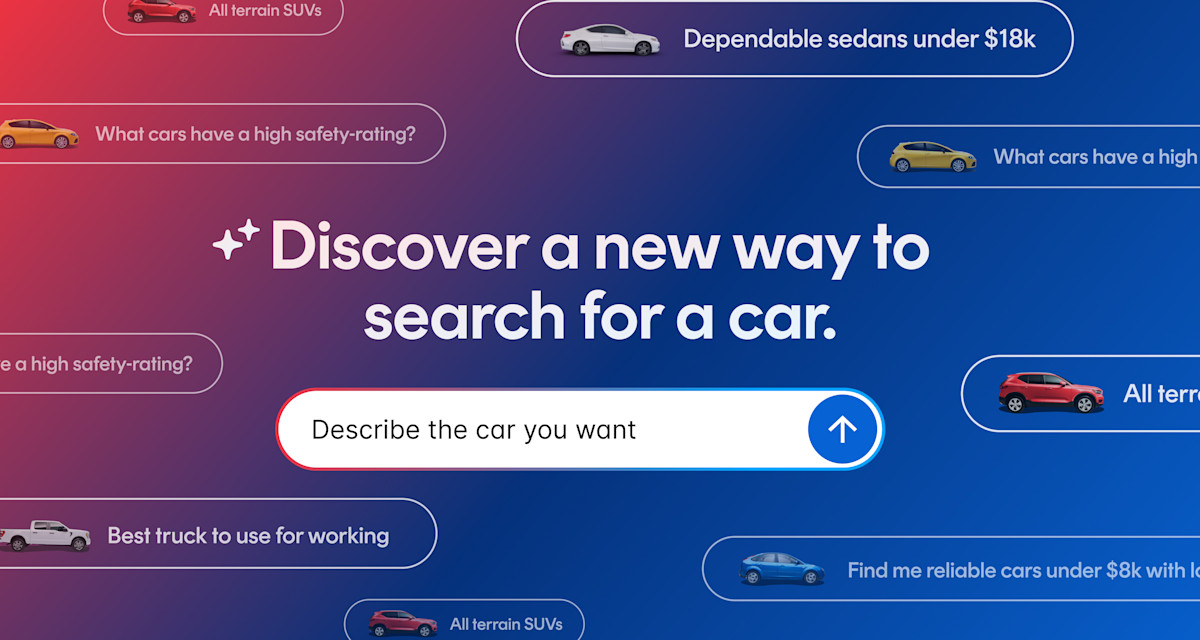
CarGurus Discover: AI Search That Shows Real Cars
CarGurus Discover: At a Glance
- Search for cars using natural language
- It's linked to around 180,000 adverts
- You get results straight away
- Save your search and pick it up later
- Not a drop-down filer in sight
Search the Way You Talk
The point of using AI to search for cars is that it removes the specificity at the early stages. Historically, you’d either have to go in with a solid idea of what you were after or play with filters and drop-down boxes to find your way to a result. Discover allows you to kick off a search with exactly what you’re thinking, so you can start with a phrase such as, “I’m looking for a reliable used car for less than £15,000,” “I want a cheap and cheerful supermini with a good sound system” or “I need a seven-seater with decent fuel economy”.
It Links Directly to Adverts
This is one of the big differences between Discover and well-known AI platforms – it directs you to used cars that are on sale now on CarGurus. Large language models provide pointers, suggestions and summaries, but they don’t serve up links to available cars that match the description. Discover does.
Whittle Down Your Search With a Chat
You don’t have to get it right first time, and if the first set of results isn't quite right, just keep talking. The beauty of an AI car search is that it starts with a kernel and develops it into a set of suitable options for buyers. Keep the chat rolling, give it feedback on its suggestions and you’ll make the jump from vague idea to potential purchase.
Come Back Later if You Need to
Discover creates an individual URL for each search, so you can always leave it and pick it up later. You need to be signed in to your free CarGurus account to save the search, but that’s all there is to it.
Built-in Market Data and Deal Ratings
Accurate pricing and deal ratings are what CarGurus adverts are all about, and adverts to which Discover links will clearly show whether a used car represents a good deal next to its competitors. That’s based on our used car pricing trends data, which anyone can see. It includes a broad overview of the used car market, but prices are also broken down by make, model and body style. There’s clear dealer feedback, too – buyers can and do leave reviews of their experiences.

How AI Changes Car Shopping
The fundamental difference between an AI search and conventional filter-based tools is that the former responds to your input. Drop-down boxes are pre-determined; punch in a make and model, and that’s what you’ll get. AI searches are designed to help buyers who are in the dark about exactly what they want and need (and there are quite a few of them) by reacting to natural language. You can tell it to “find me some SUVs with good safety ratings for less than £20,000,” and off it goes.
It’s Good to Talk
Those responses to language are the critical element, because they essentially change the process of looking for a used car online from something that requires pre-existing knowledge to something that doesn’t. It is now possible to log on and just start asking questions – you don’t even need to know the name of a car manufacturer beforehand.
How AI Searches Change the Process in Practice
The best way to see how Discover actually works is to visit the page and find out for yourself, but for a taster, below is the difference between a traditional, filter-based search.
Say you want a medium-sized SUV that’s reliable, has a good safety rating and is no more than four years old. That’s a pretty normal car to look for and you’re spoiled for choice; with a filter-based search, you’re going to have to get specific from the off, to the point of picking a make and model. This is what that looks like:
- Make: Honda
- Model: CR-V
- Year: 2022-2025
- Price: £15,000-£20,000
- Mileage Limit: 70,000
- Distance: 100 miles
Use an AI search, and that changes to something like this:
“I want a medium-sized SUV that’s reliable, has a good safety rating and is no more than four years old.”
That’s enough to get going and, assuming used examples are available, the initial results will more than likely include a Honda CR-V and several of its contemporaries. To refine it a little more, you might add:
“My top-end budget is £20,000, but I’d rather spend nearer to £15,000 if possible. Cap the mileage at 70,000 and I only want to see cars within 100 miles of my postcode.”
That’s it. No prior knowledge or expertise required.
How to Use AI to Search for a Car
Tell it What’s Important to You
While you don’t need to know anything about cars to use AI search, you definitely get out what you put in when it comes to your description. Being specific and listing the qualities you want out of a car helps to inform tool, so the more information you give it, the better.
Think of it like a person who knows a lot about cars – someone you’d talk to before you start car shopping. If you just tell them you want an SUV, that’s the most common body style on the market, so it doesn’t give them much to go on. Tell them you want an SUV like the one in our previous example – something that’s reliable, has good safety ratings and is no more than four years old – and you’re giving them loads to go on.
AI searches work the same way. Again, you don’t need to know anything about the type of car, but load them up with detail about what you want the car to do and you’ll end up with concise, focussed shortlist of relevant adverts.
Throw in Some Context
There’s no need to limit the description to cold, hard facts about what you’re after, either. Discover draws on CarGurus’ massive back catalogue of car reviews, buying guides and other advice, so the more context you give it, the greater its chance of matching you with the right kind of car.
As well as the basics, adding an extra bit of description such as “I need an SUV with plenty of room, because I have three children,” will steer the results towards spacious models. Anything that paints a picture of how you’ll use the car and why you want it will help to streamline the results.
Search by Features
There is an element of knowing what you want here, but if you do, then use it. For example, you don’t need to be a car buff to be familiar with Apple CarPlay and Android Auto or to want them in your next car, and the same goes for all-wheel drive if you regularly travel over rough or slippery terrain. Any particular features that you know you want are worth including in the search.
Set your Boundaries
Got a budget in mind? Tell Discover. Don’t want to travel more than a certain distance to a dealer? Tell Discover. Spelling out your hard red lines further refines the process, and these kinds of factors are about as clear-cut as it gets, so they’re easy to adhere to.
There’s no Such Thing as a Silly Question
Nothing has to be right first time with an AI search, and further questions are, if anything, encouraged. You might hit the jackpot and find exactly what you’re looking for after a single message, but a little bit of back and forth is very much part of whittling down the results to find the most appropriate options. Here’s what that might look like in practice:
Example:
- You: “I need a reliable family car with good safety features for less than £15,000”
- AI: (Shows results)
- You: “What about a seven-seater?”
- AI: (Shows results)
- You: “Which one of these has the best mpg?”
Summary
You don’t need to know what kind of car you want to buy – that’s the big thing AI search brings to the table. Buyers can talk to it as they would as a friend who’s into cars, kicking off the conversation with phrases such as, “I need a car for…” or “I want something safe with lots of space inside…” and take it from there.
That wasn’t possible under the traditional, filter-based method. There’s nothing wrong with it and it isn’t going away, but it works better for people with a clear idea of what they’re looking for and some existing knowledge.
If you’re in the market for a used car but aren’t completely sure about what, give our Discover tool a whirl.