Apple CarPlay aims to make using a mobile phone in a car safe. By connecting with the car’s own infotainment screen, you can access many of the apps from your iPhone and work them with the car’s own controls.
With large fines and penalty points for using a handheld mobile phone while driving, this hands-free set-up keeps your eyes on the road and hands on the steering wheel. And all the while, you can still access phone calls, messages, songs and maps.
What is Apple CarPlay?
- How Do I Use Apple CarPlay?
- What Can Apple CarPlay Do?
- Can I Use Apple CarPlay in an Older Car?
- Is it Safe to Use Apple CarPlay While Driving?
- What is Apple CarPlay Ultra?
- What if I Don't Have an iPhone?
- Car Companies That Use Apple CarPlay
- iPhones Compatible With Apple CarPlay
How Do I Use Apple CarPlay?
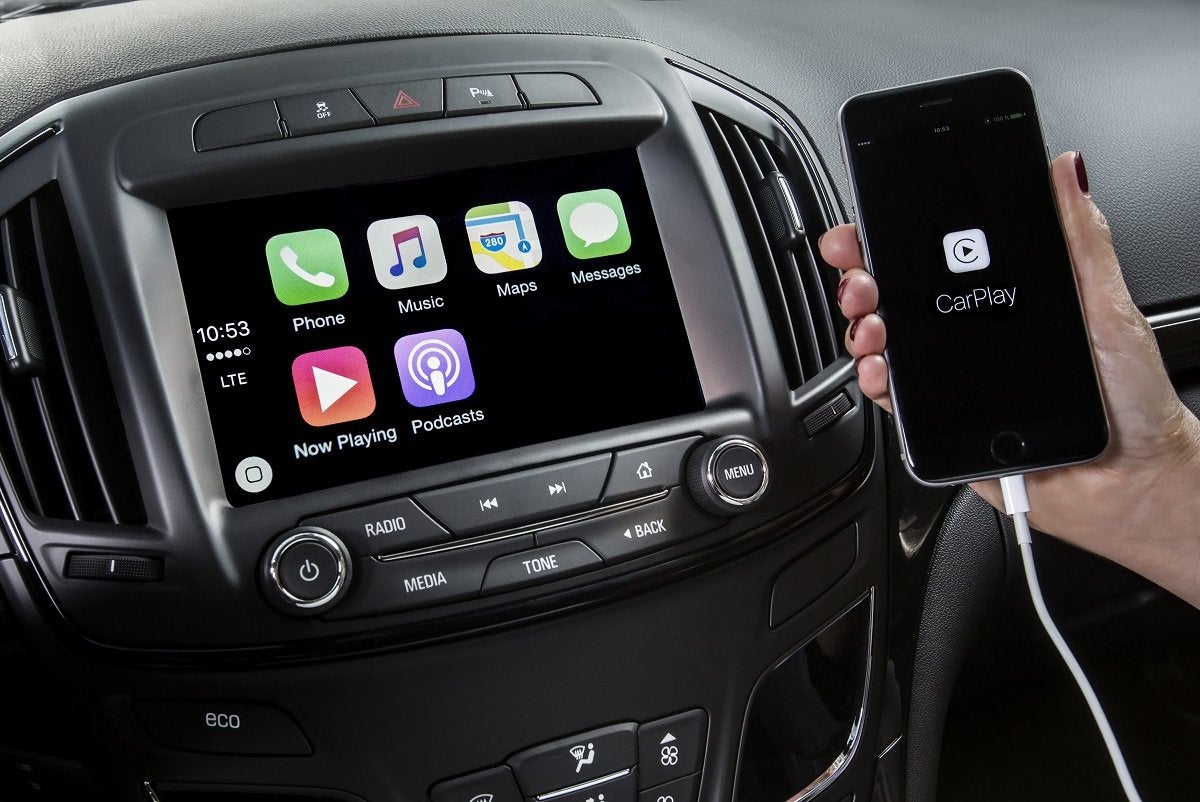
You will need an Apple iPhone no older than an iPhone 5 for it to use CarPlay. When you get into the car, you connect the phone with a cable plugged into the car’s USB port, or many cars these days use Bluetooth or wireless CarPlay connections instead. You’ll also need a car with a compatible infotainment system, but almost every car manufacturer now offers CarPlay as standard or as an optional extra with its new cars, and many used cars have it, too.
At the moment, the only car company operating in the UK that doesn't offer Apple CarPlay at all is Tesla. That, says Tesla, is because the firm's own software does most of the same stuff, and incorporating CarPlay on top would remove some of the software's existing functionality.
Other firms haven't always offered Apple CarPlay, either. For example, the Ora Funky Cat/03 was on sale in the UK for around 18 months without offering it, then in May 2024, the company issued a software update that applied CarPlay to brand new examples, and the update was also provided to existing owners. The entry-level versions from some models from budget-focused brands such as Dacia also miss out on CarPlay, but you can have it if you venture further up the trim range.
When you start CarPlay for the first time, the iOS (iPhone operating system) links into the car and will prompt you follow the simple set-up steps. When that’s completed, you only need to accept CarPlay every time you start the car. You can also tap out of CarPlay and back into the car’s standard infotainment any time you like, although how easy/obvious it is to do this will depend on the car's infotainment software.
CarPlay works with the car’s existing controls, so you don’t need to touch the phone’s handset. You can use steering wheel buttons, rotary dials for volume or scrolling, or the infotainment’s touchscreen display. Another option is to use Siri for voice control commands, which can also be used to read incoming text messages and dictate replies.
What Can Apple CarPlay Do?
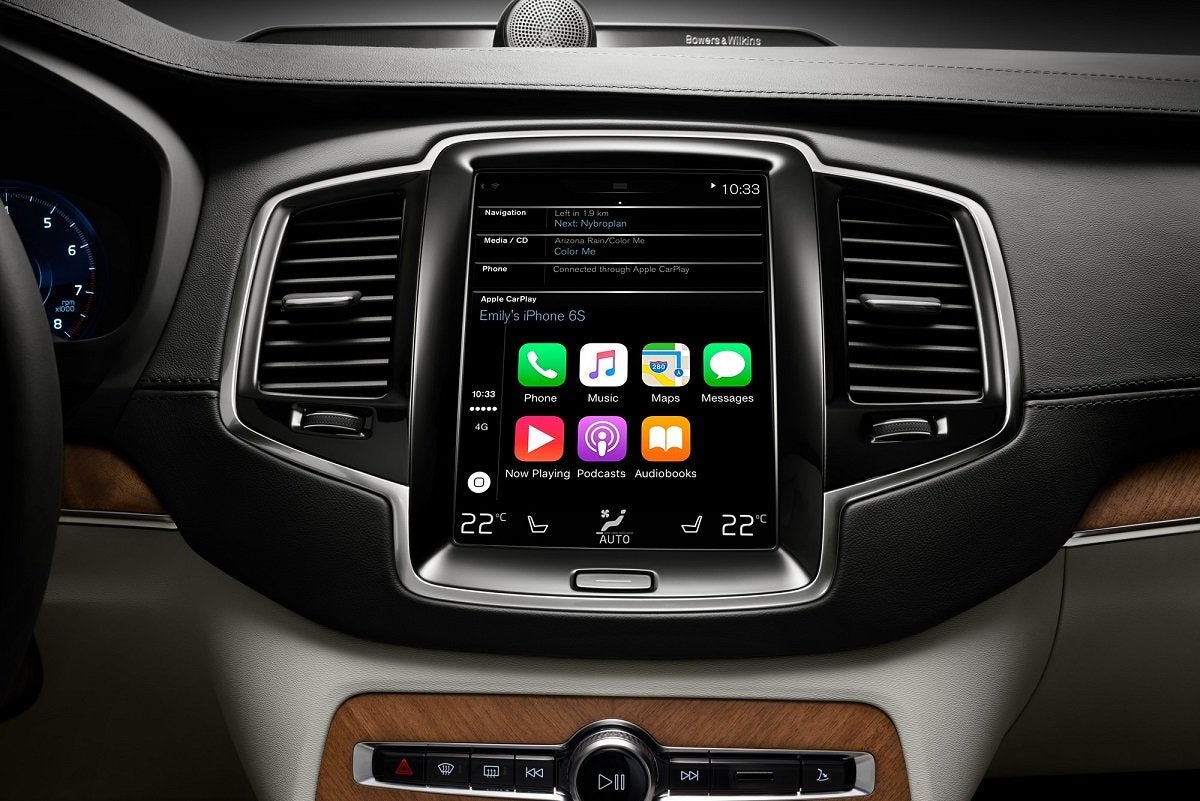
CarPlay acts as a controller for your iPhone, so it can operate many of the things you use your device for outside of the car. Once CarPlay is connected between phone and car, you can listen to music from iTunes and your Apple Music subscription, as well as from third-party apps such as Spotify. It also offers the chance to hear audiobooks and podcasts that you’ve downloaded, either through Apple’s own apps, or others such as Audible and Stitcher.
One of the most common reasons for connecting an iPhone with CarPlay is to use the maps for navigation, rather than the car’s own satnav. It’s easy to select Apple Maps or Google Maps, depending on which you prefer, or you can use other apps like Waze. They appear in the car’s infotainment display just as they would with the car’s own satellite navigation and you’ll be given the same familiar voice commands from the phone.
One of the features of CarPlay apps for navigation is it learns your most popular destinations, and later versions can recognise when you are heading in their direction. It will also suggest possible places of interest along the way to any destination, such as restaurants, fuel stations or EV charging points.
Making and receiving phone calls is easy with CarPlay in the same way it is with Android Auto or MirrorLink. With the Apple system, you can use Siri to dial from the contacts list on the phone for completely hands-free operating. Siri can also be used for text messaging, and is able to read out a text when it arrives if you think it’s important. You can also use this function to dictate a reply.
As well as the apps that are already installed when you buy an iPhone, CarPlay works with many third-party apps. However, it’s worth noting that not all third-party apps have the functionality to work through CarPlay, and some are disabled in case they might distract the driver. Apple also includes a Do Not Disturb option, which is like a flight safe mode that mutes certain apps when CarPlay is connected. The driver can select which apps this is applied to.
Can I Use Apple CarPlay in an Older Car?
If you have a car without a modern head unit, you can fit an aftermarket infotainment system to make it CarPlay-compatible. Companies such as Alpine, Kenwood, Pioneer, and Sony all offer head units with CarPlay functionality, though you may also have to budget for professional fitting.
As well as a suitable head unit to work with CarPlay, it’s wise to make sure your car has another USB port to charge the iPhone, because using it on longer journeys can drain the battery.
Is it Safe to Use Apple CarPlay While Driving?
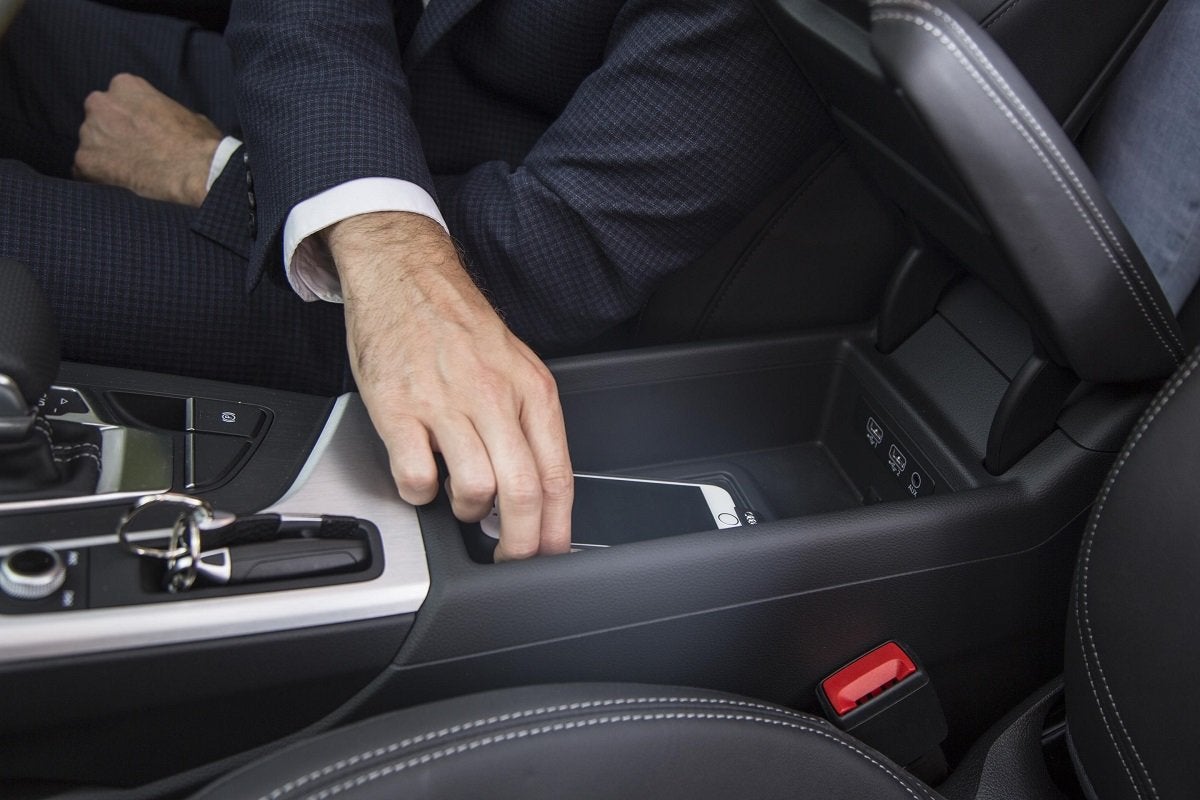
Apple CarPlay is as safe to use as any car’s infotainment system thanks to its simple functionality and familiarity to anyone who already has an iPhone. It’s quick and easy to connect to the car, and you can then store the phone’s handset safely out of reach so it’s not a distraction when driving.
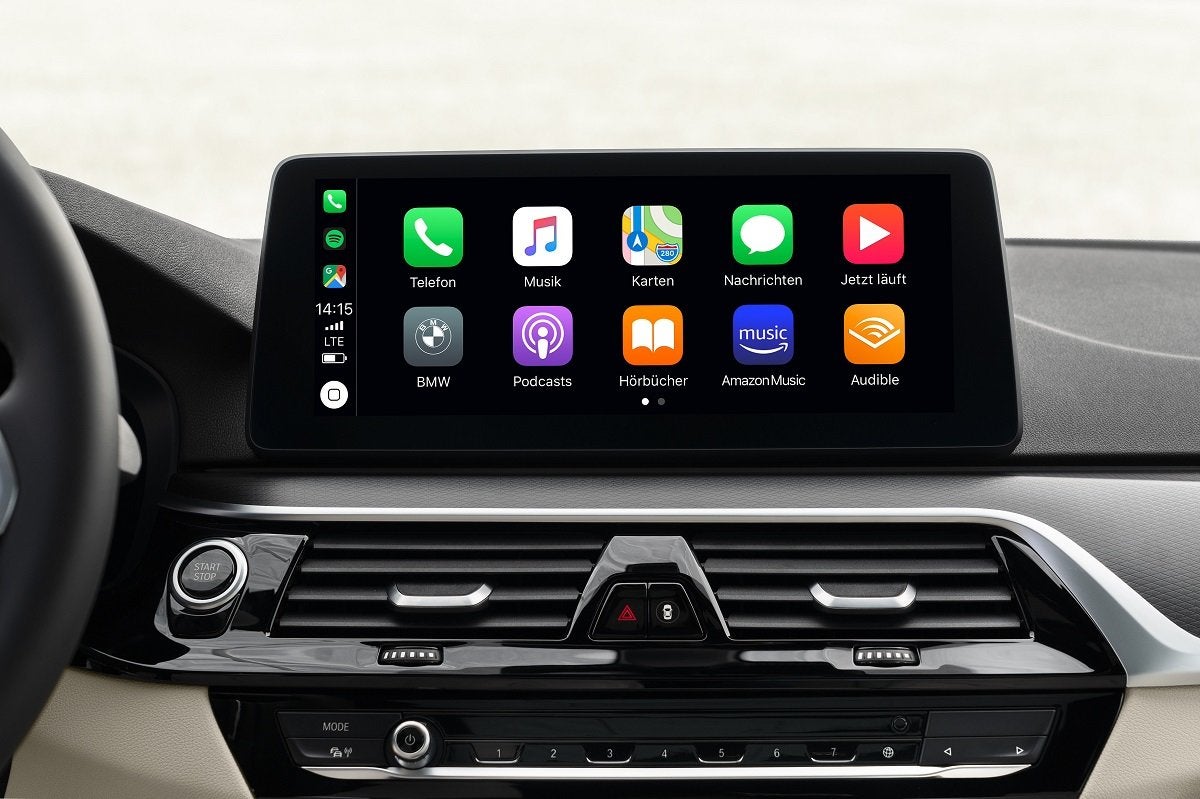
You can use the car’s existing audio controls, steering wheel buttons, or touchscreen to operate CarPlay. The onscreen icons are large and CarPlay only displays eight at a time so you don’t have to take too much attention away from the road ahead to select the relevant app. For a full hands-free CarPlay experience, you can use Siri to work many of the functions, such as choosing names from your call list, or using it to read and reply to a text message.
However, it always the driver’s responsibility to pay full attention to the road and to drive safely.
What is Apple CarPlay Ultra?
Think of it as 'Apple CarPlay: The Next Generation'. It's a major development of the standard system that adds a variety of new features for more comprehensive integration.
Arguably the biggest difference is integration with a compatible car's digital instrument display, as well as the central screen. You can choose between a range of different screen layouts, which have been co-designed by both Apple and the carmaker, featuring selectable widgets that display information from your phone, alongside information about the car. For instance, you can have your smartphone sat-nav instructions displayed alongside your fuel level, tyre pressures, speedo, and various other nuggets of info.

There are also important changes to the central screen, which now feature radio- and air-conditioning controls within the main Apple CarPlay menu. Of course, you can still use the car's existing controls for these, too, but if those controls are touchscreen-based (which they often are these days), it mean you don't have to exit CarPlay to make changes to your settings. The central screen also features customisable widgets similar to those on the instrument panel, allowing you to customise the information displayed here, too.
At the moment, Apple CarPlay Ultra is only available on a handful of Aston Martin models, but a number of other brands are currently working with Apple on integration into their cars, with further releases to come in the future. These brands include Ford, Genesis, Honda, Hyundai, Jaguar, Kia, Land Rover, Nissan and Porsche. For your phone to be compatible with CarPlay Ultra, it'll need to be an iPhone 12 or newer, running iOS 18.5 or later.
What if I Don’t Have an iPhone?
CarPlay only works with the Apple iPhone and with iPhone 5 or newer models. So, what do you do if your car is compatible with CarPlay but you don’t have an iPhone? Don’t despair as most cars also now come with CarPlay’s main rival, Android Auto.
This has been around for as long as CarPlay: both were launched in 2014. Android Auto works in a very similar way to the Apple system, so you can use to it make and receive phone calls and messages, navigation, and music with an Android phone.
Car Companies That Use Apple CarPlay
- Abarth
- Alfa Romeo
- Alpine
- Aston Martin
- Audi
- Bentley
- BMW
- BYD
- Changan
- Chery
- Citroen
- Cupra
- Dacia
- DS Automobiles
- Ferrari
- Fiat
- Ford
- Geely
- Genesis
- GWM
- Honda
- Hyundai
- Isuzu
- Jaecoo
- Jaguar
- Jeep
- KGM
- Kia
- Lamborghini
- Land Rover
- Leapmotor
- Lexus
- Lotus
- Maserati
- Mazda
- McLaren
- Mercedes-Benz
- MG
- MINI
- Mitsubishi
- Nissan
- Omoda
- Peugeot
- Polestar
- Porsche
- Renault
- Rolls-Royce
- SEAT
- Skoda
- Smart
- Subaru
- Suzuki
- Toyota
- Vauxhall
- Volkswagen
- Volvo
- Xpeng
iPhones Compatible With Apple CarPlay
(Note: Phones with an asterisk are also compatible with Apple CarPlay Ultra.)
- iPhone 5
- iPhone 5c
- iPhone 5S
- iPhone SE (1st generation)
- iPhone SE (2nd generation)
- iPhone 6
- iPhone 6 Plus
- iPhone 6S
- iPhone 6S Plus
- iPhone 7
- iPhone 7 Plus
- iPhone 8
- iPhone 8 Plus
- iPhone X
- iPhone XR
- iPhone XS
- iPhone XS Max
- iPhone 11
- iPhone 11 Pro
- iPhone 11 Pro Max
- iPhone 12*
- iPhone 12 mini*
- iPhone 12 Pro*
- iPhone 12 Pro Max*
- iPhone 13*
- iPhone 13 mini*
- iPhone Pro*
- iPhone 13 Pro Max*
- iPhone 14*
- iPhone 14 Plus*
- iPhone 14 Pro*
- iPhone 14 Pro Max*
- iPhone 15*
- iPhone 15 Plus*
- iPhone 15 Pro*
- iPhone 15 Pro Max*
- iPhone 16*
- iPhone 16e*
- iPhone 16 Plus*
- iPhone 16 Pro*
- iPhone 16 Pro Max*
- iPhone 17*
- iPhone 17e*
- iPhone 17 Air*
- iPhone 17 Pro*
- iPhone 17 Pro Max*


